





Accounting App to Create E-Invoices using Salesforce
Learn more!
to accounting app
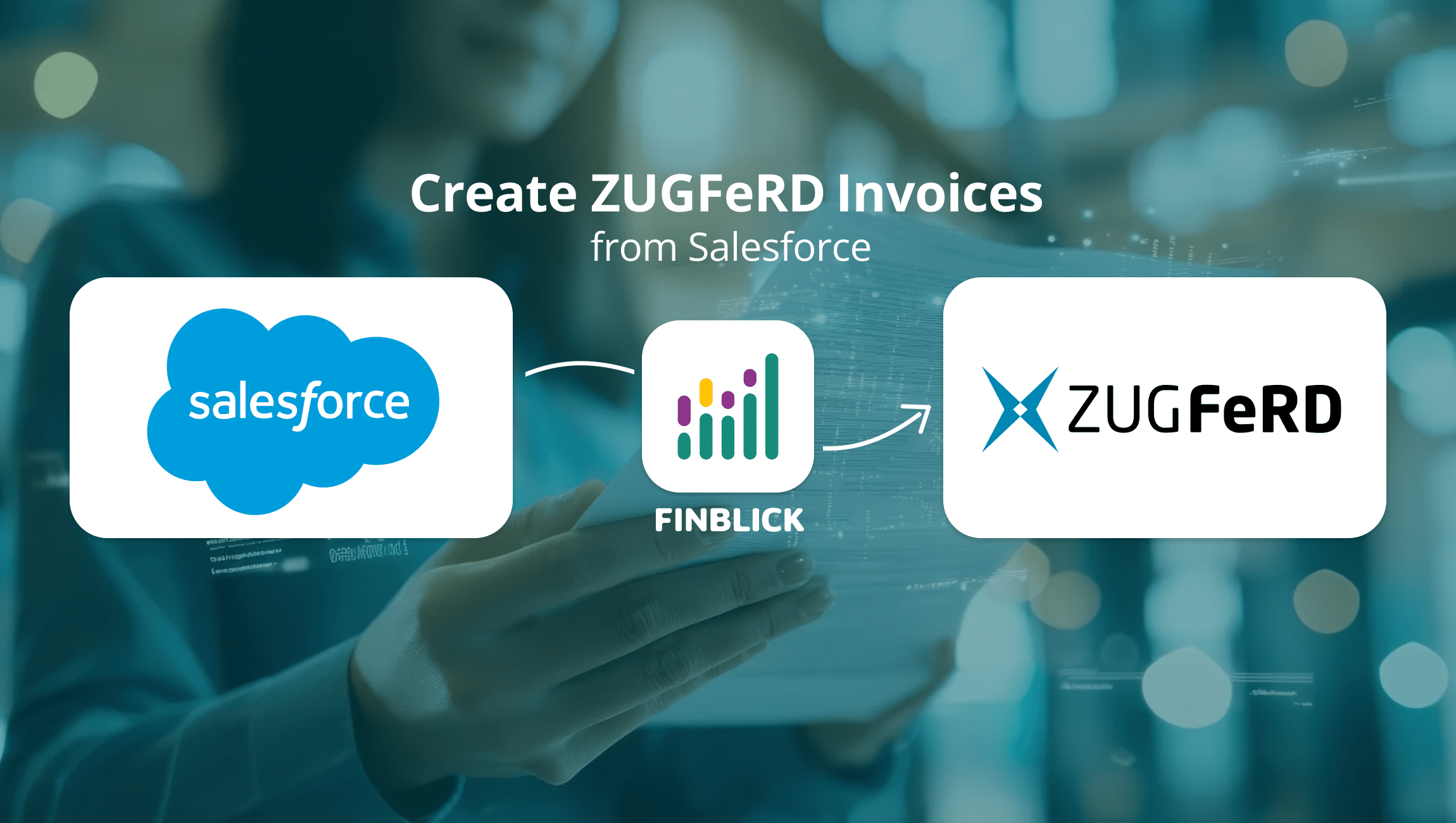
Want to create ZUGFeRD invoices in Salesforce – directly, without extra tools or manual exports? With Finblick, this takes just a few clicks, fully GoBD-compliant and legally valid as an e-invoice.
With ZUGFeRD, machine-readable XML is embedded directly into a PDF file. This makes the invoice readable by both humans and machines at the same time – which is why the format is so widely used in B2B. Starting with version 2.0.1, ZUGFeRD is officially recognized as an e-invoice. Those already working with Salesforce can generate these invoices directly from the familiar Salesforce interface with Finblick, with no need to switch systems.

As of July 2026, Finblick generates the file in ZUGFeRD version 2.3.3 (Factur-X 1.07.3) in accordance with EN 16931. This is officially recognized as an e-invoice (from version 2.0.1 onward).
With Finblick, this happens entirely within your Salesforce org, with no export to another system:
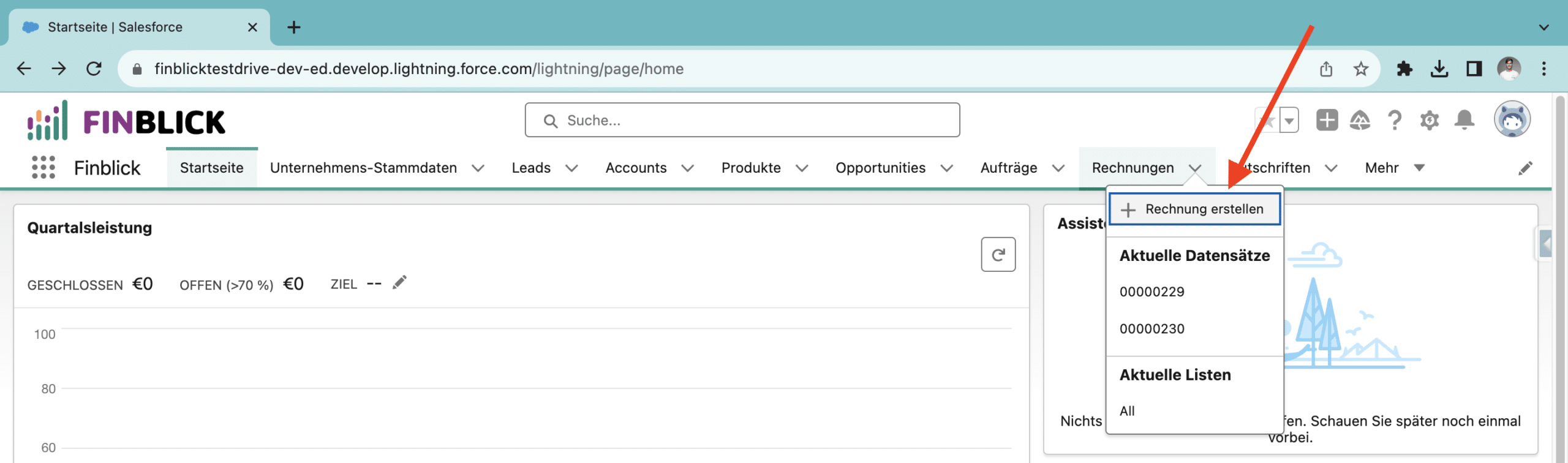
Step 1: Under Invoices, create a new invoice in Salesforce.
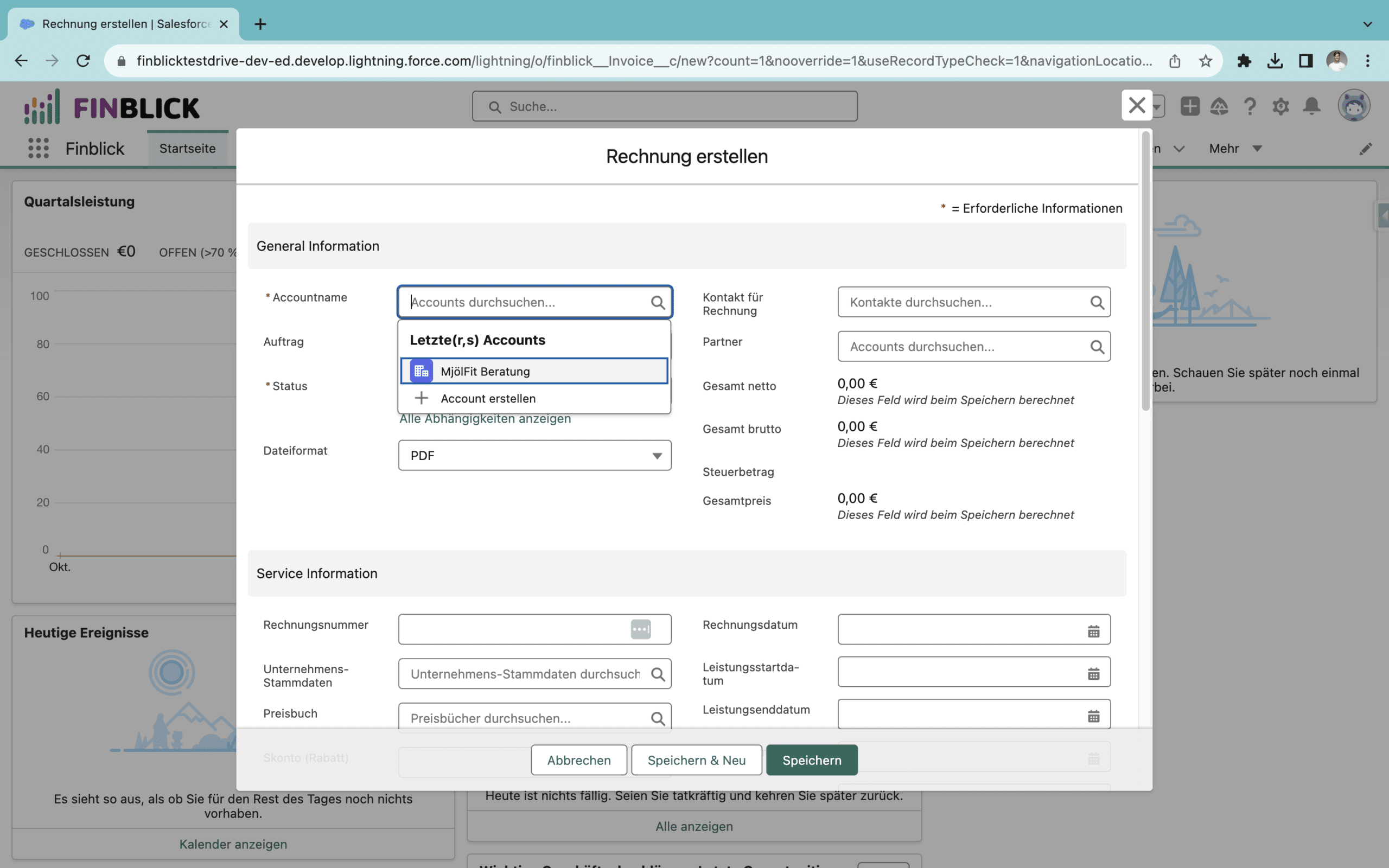
Step 2: Fill in the account, invoice date, service period, due date, and language.
Step 3: Click “Add multiple line items,” select the Standard Price Book, and add your items, then save.
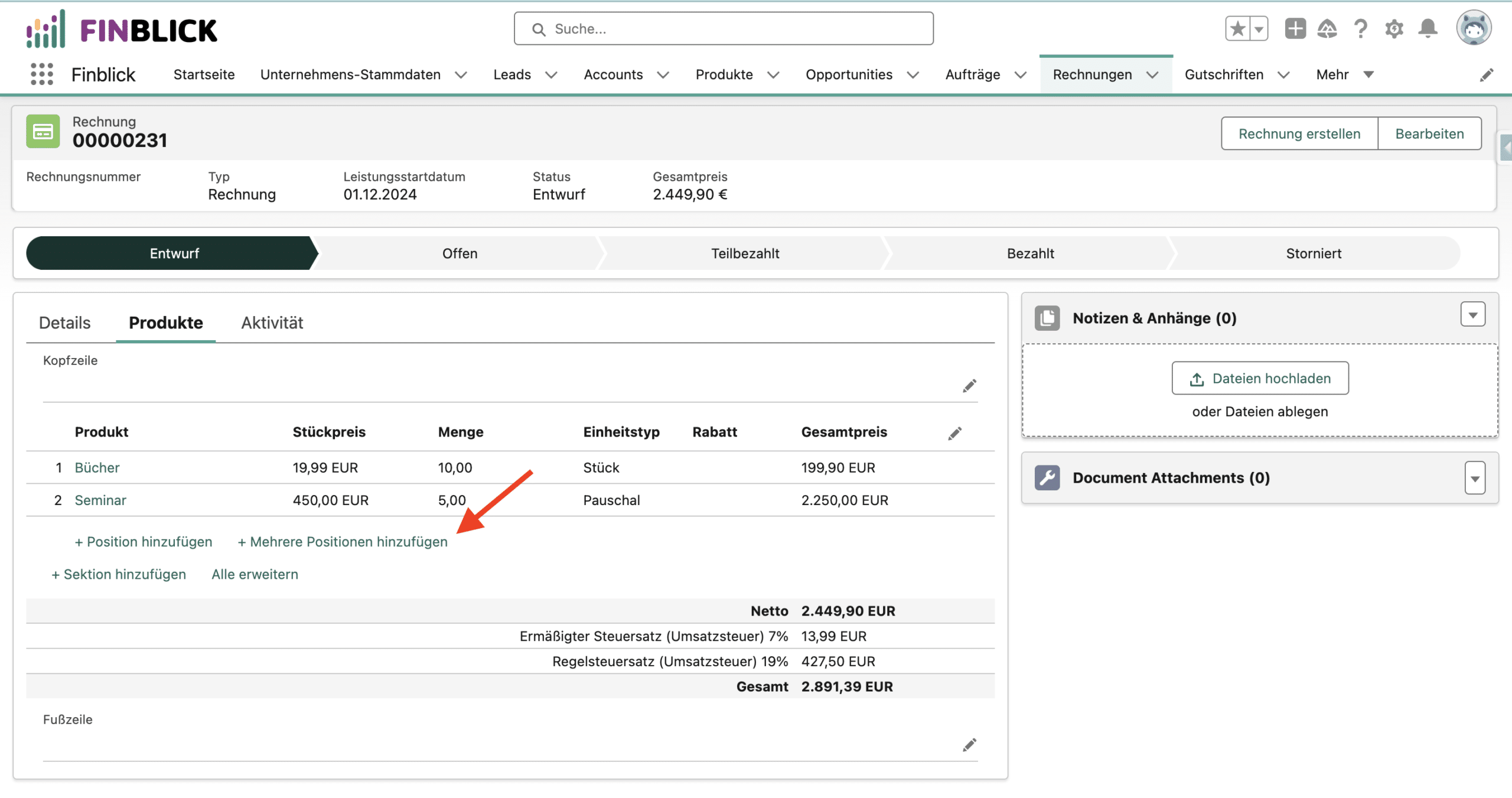
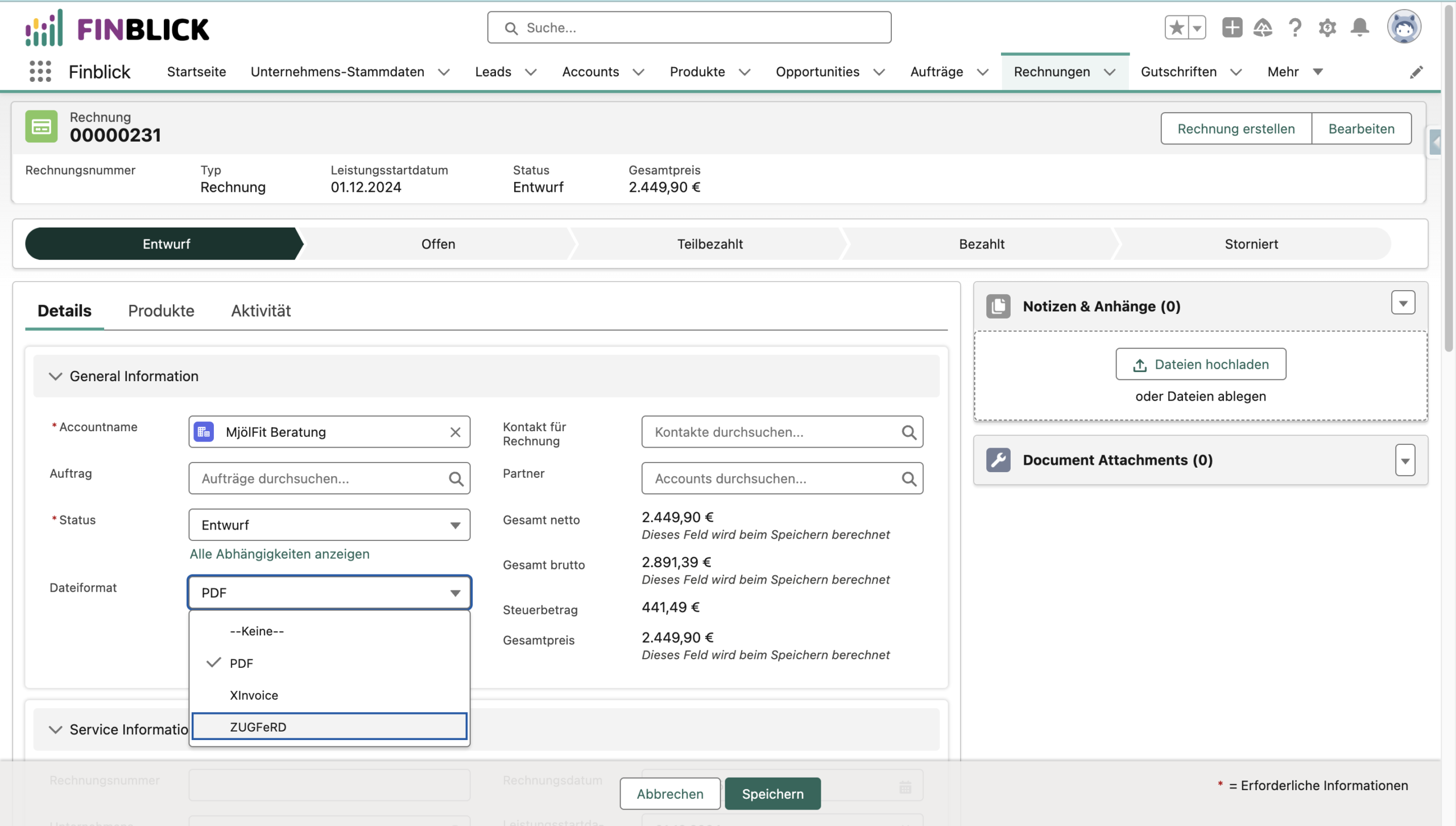
Step 4: Select ZUGFeRD as the file format, save, and click “Generate Invoice” in the top right. You’ll find the finished ZUGFeRD invoice under Notes & Attachments, ready to download.
Want the full picture – including a video walkthrough and the first two steps to get into the free TestDrive without registration? Check out our in-depth article, E-Invoicing in Salesforce. You can try creating a ZUGFeRD invoice yourself in the TestDrive there.
All formats, deadlines, and details – including XInvoice, an XML example, and a video walkthrough – are covered in our in-depth article: E-Invoicing in Salesforce: Everything You Need to Know. If you want to keep processing your accounting afterward, take a look at our DATEV integration for Salesforce. And if you want to know how invoicing in Salesforce works in general, our invoicing page has you covered.
Already a Salesforce user? Get your personal look at Finblick and get in touch with any questions! 📆 (Click the link to book an appointment directly!)
Here we answer the questions we're asked most often about ZUGFeRD invoices from Salesforce – short and to the point.
With Finblick, ZUGFeRD is built directly into Salesforce – you don't need a separate tool or an export to another system. The invoice is generated entirely within your Salesforce org, including the embedded XML.
Finblick creates ZUGFeRD invoices in version ZUGFeRD 2.3.3 (Factur-X 1.07.3) (as of July 2026) in accordance with EN 16931. This means the invoices are officially recognized as e-invoices (from version 2.0.1 onward) and meet the legal requirements for structured, machine-readable formats.
At first glance, it looks like a normal PDF file. If you open it in, say, Adobe Acrobat Reader, you'll also see the embedded XML under Attachments, which enables machine processing.
Yes, when creating an invoice in Finblick you can select XInvoice (XRechnung) as a format alongside ZUGFeRD. We explain the differences between the two formats, and when each one makes sense, in more detail in our article on e-invoicing in Salesforce.

Not every tool can handle every invoice type: these are the questions you should clarify before switching to a new tool for ...
With the Finblick AI Agent for Quoting, you can create a complete quote from your meeting notes with a single prompt – ...

Finblick introduces a new feature: global discounts and surcharges directly in Salesforce. It is ideal for SMEs working with ...

We look forward to hearing from you and will usually reply within one business day!